Teach
From PDF slides to a published module, in one afternoon.
The Studio, grading and learner follow-up are designed for the trainer with three sessions this week and twenty submissions to return.
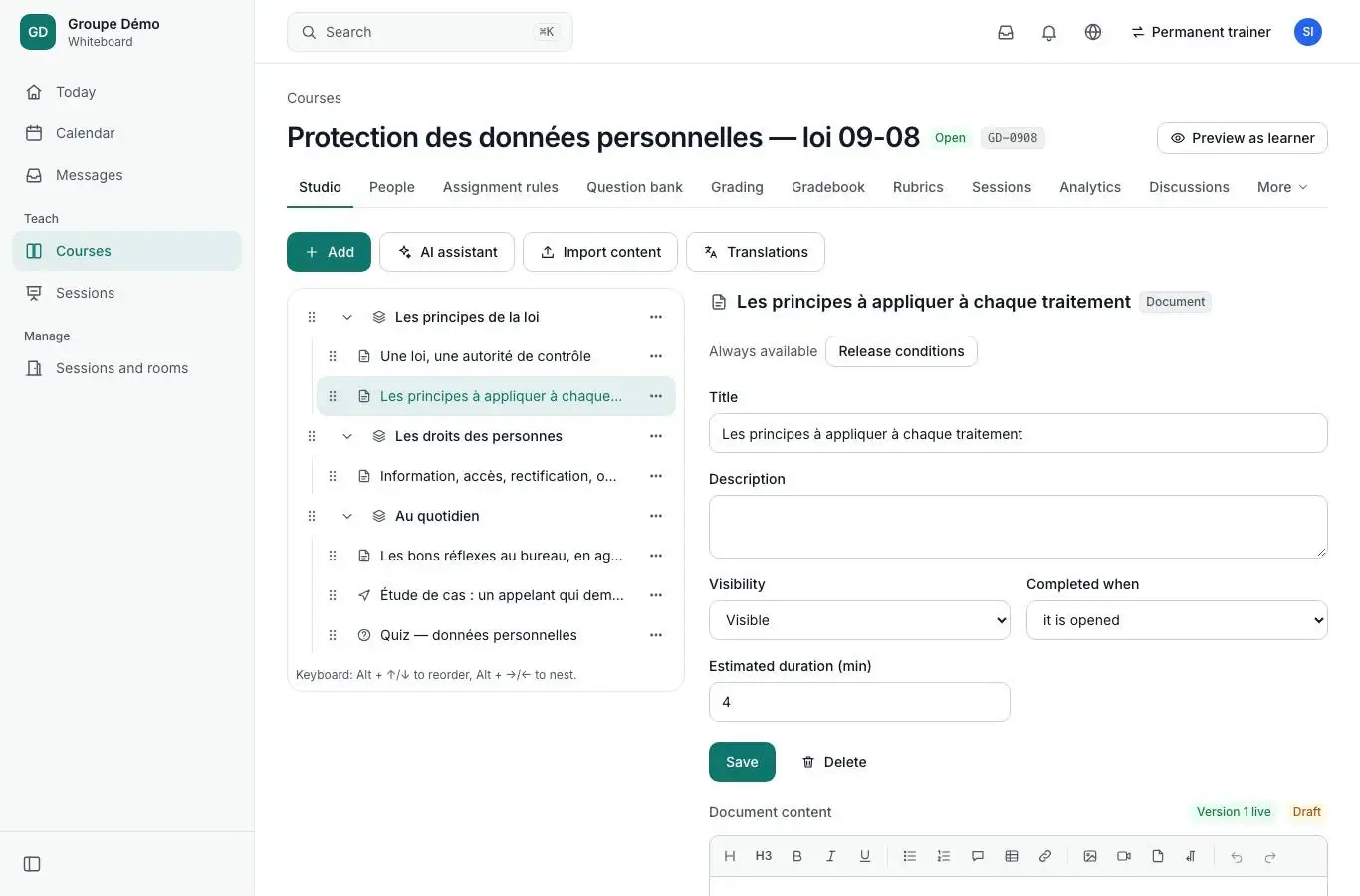
Studio
One canvas to build the course.
The outline on the left, the editor in the middle, AI on the right. Modules, text, videos, documents, links, SCORM, quizzes, discussions: everything is built in one place, with drafts, preview and rollback to an earlier version.
- Block editor, right to left per block
- Release conditions and completion rules
- Versions, preview, rollback
AI in the Studio
AI prepares, the trainer decides.
From PDF to outline
A PDF document becomes an outline, objectives and modules, as drafts, with source pages cited.
Questions and feedback
Questions on your content, feedback for every answer, reviewed before publication.
Rubrics
Criteria, levels and points proposed, editable, importable and exportable.
French and Arabic
Titles and glossaries in both languages, flagged “to review” before publication.
Grading
Grade twenty submissions with the keyboard.
A queue of submissions to grade, the rubric next to the submission, annotations on the PDF, and the keyboard for everything: J and K to move between submissions, Enter to confirm. Assignments come in as files, text, audio or video.
- Grading queue and rubric side by side
- PDF annotations
- Grading turnaround tracked
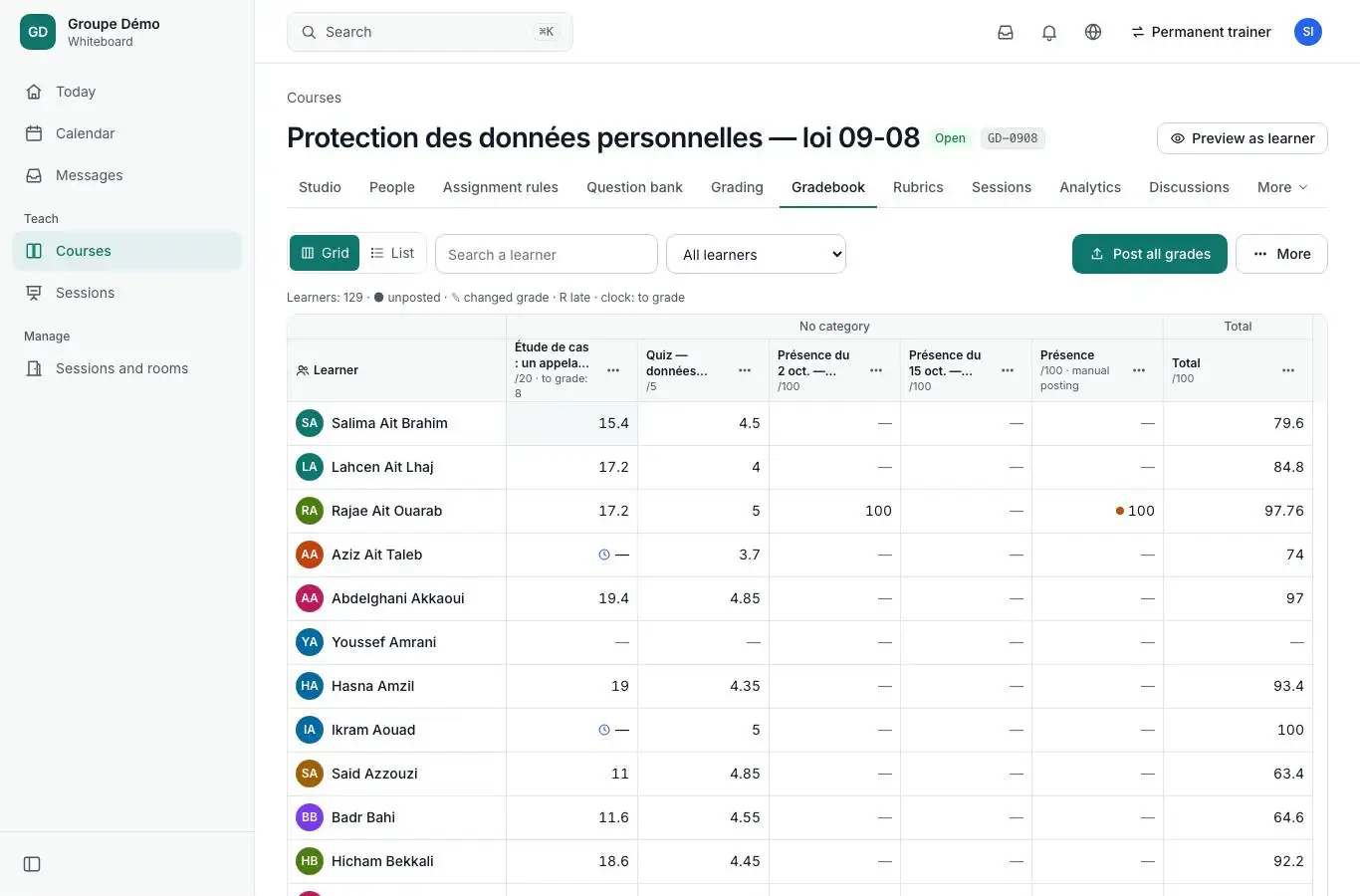
Gradebook
The grid first.
Grid view
The whole class at a glance, keyboard navigation, direct entry.
Categories and weights
Grading schemas, weights, calculated columns, overall grade.
Controlled release
Grades stay private until you release them.
Full history
Every grade change is kept, without exception.
Follow-up
Know who has not finished, and remind them.
Learners
Progress, last visit, delays, and a button to send a reminder.
Attendance
Sessions, rooms, QR-code check-in, signature, PDF sheet.
Automations
Inactivity, low grade, missing assignment: a message goes out on its own.
Occasional trainers
A sign-in link, slides to upload, a quiz, a session. Nothing to install.
Later
- Delegated or multi-grader marking in the interface (later; the data model already supports it).
See it with your own courses.
A thirty-minute demo, on one of your modules, with your roles and your structure. We reply within one business day.